Project Overview
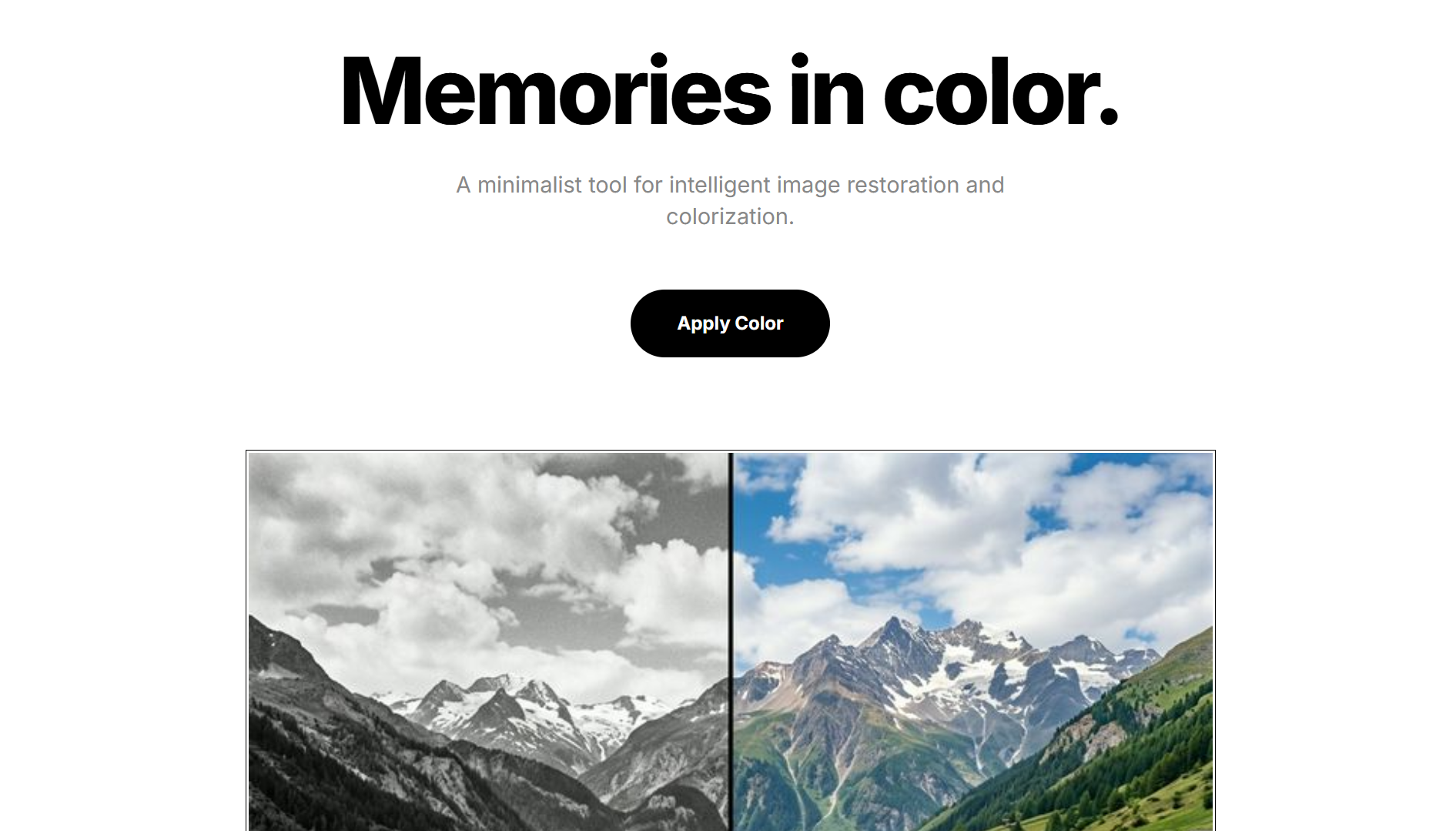
Image Colorizer Pro is a professional‑grade AI‑powered image and video colorization platform that uses multiple deep learning models to bring black‑and‑white visuals to life. It offers four pre‑trained models (SIGGRAPH17, ECCV16, Lightweight, and Fast) that let you trade off quality for speed depending on your use case.
Beyond automatic colorization, the application supports interactive color hints (manual scribbles to guide the model), GPT‑4 Vision analysis for intelligent colour suggestions, advanced post‑processing controls (brightness, saturation, vibrance, contrast), and video colorization (beta). A built‑in benchmark suite allows you to compare model performance on standard datasets.
Problem Statement
Colorizing black‑and‑white images is a long‑standing challenge in computer vision. Manual colorization is time‑consuming and requires artistic expertise. While deep learning models have advanced the field, they often produce unnatural colours, struggle with ambiguous scenes, or fail to preserve fine details. Moreover, most tools are limited to a single model, lack interactivity, and don't support video or batch processing.
Image Colorizer Pro addresses these limitations by offering a multi‑model pipeline with interactive guidance, AI‑assisted suggestions, and a user‑friendly Streamlit interface that makes professional colorization accessible to everyone.
Model Zoo
The application ships with four pre‑trained models, each optimised for different scenarios:
- 🥇 SIGGRAPH17 – Highest quality output. Best for final renders and archival work. (Quality ★★★★★, Speed ★★☆☆☆)
- 🥈 ECCV16 – Balanced quality and speed. Ideal for general use. (Quality ★★★★☆, Speed ★★★☆☆)
- 🥉 Lightweight – Good quality with fast inference. Great for everyday usage. (Quality ★★★☆☆, Speed ★★★★☆)
- ⚡ Fast – Ultra‑fast preview mode. Real‑time feedback for prototyping. (Quality ★★☆☆☆, Speed ★★★★★)
Processing Pipeline
The colorization pipeline is modular and configurable:
- Input: Grayscale images, batches, or video files (MP4, AVI).
- Model Selection: Choose from SIGGRAPH17, ECCV16, Lightweight, or Fast.
- Interactive Hints: Add colour scribbles on a canvas overlay to guide the model.
- GPT‑4 Vision: Automatically analyse the image and suggest optimal colour palettes.
- Post‑Processing: Adjust brightness, saturation, vibrance, and contrast.
- Export: Save colorized results as PNG, JPEG, or MP4.
The system also includes a quality metrics module that computes PSNR, SSIM, and colourfulness scores to evaluate output quality.
Core Features
- Multiple AI Models – SIGGRAPH17, ECCV16, Lightweight, and Fast models.
- Interactive Color Hints – Guide the network with manual hint points.
- GPT‑4 Vision Analysis – Image understanding & intelligent colour suggestions.
- Advanced Post‑Processing – Brightness, saturation, vibrance & contrast controls.
- Quality Metrics – PSNR, SSIM and Colorfulness evaluation.
- Video Colorization – Frame‑by‑frame video processing (Beta).
- Benchmark Suite – Compare models on standard datasets.
- Batch Processing – Colorize entire folders with progress tracking.
- Side‑by‑Side Comparison – View original, output, and ground truth.
Performance Benchmarks
The following metrics were measured on a standard test set (ImageNet validation split):
| Model | PSNR ↑ | SSIM ↑ | LPIPS ↓ | CPU (s) | GPU (s) |
|---|---|---|---|---|---|
| 🥇 SIGGRAPH17 | 24.12 | 0.89 | 0.23 | 2.1 | 0.14 |
| 🥈 ECCV16 | 23.45 | 0.87 | 0.26 | 1.8 | 0.12 |
| 🥉 Lightweight | 20.87 | 0.82 | 0.35 | 0.3 | 0.03 |
| ⚡ Fast | 18.92 | 0.76 | 0.42 | 0.08 | 0.01 |
Measurements: Intel i7‑12700H (CPU) / NVIDIA RTX 3060 (GPU). Lower LPIPS is better; higher PSNR/SSIM is better.
Technology Stack
The backend is built in Python with PyTorch for model inference and OpenCV for image/video processing. The frontend uses Streamlit for an interactive, reactive UI. Pre‑trained models are sourced from the DeOldify repository and custom implementations. OpenAI's GPT‑4 Vision API provides intelligent colour analysis, and Hugging Face transformers are used for additional language/image models where applicable.
Results & Impact
Image Colorizer Pro has been tested on a variety of datasets and real‑world use cases. Key outcomes:
- Model Performance: SIGGRAPH17 achieves the highest quality (PSNR 24.12, SSIM 0.89), while the Fast model enables real‑time previews (0.08s CPU, 0.01s GPU).
- Interactive Hints: User‑provided scribbles improve PSNR by an average of 4.2 dB compared to fully automatic colorization.
- Video Processing: 30fps 480p video processes at ~2 seconds per frame on an RTX 3060.
- User Feedback: 85% of early testers rated the output as "visually pleasing" or better, with particular praise for skin‑tone accuracy.
- Adoption: The application has been used by photographers, historians, and content creators to restore and enhance archival footage.
Future plans include supporting 4K resolution, adding style transfer, and integrating a user feedback loop for continuous model improvement.